For your next match

Better gaming.
Zero paywalls.

Get your PC ready to play with easy optimizations. Every one included. Every one free.

Download free

For Windows All optimizations included

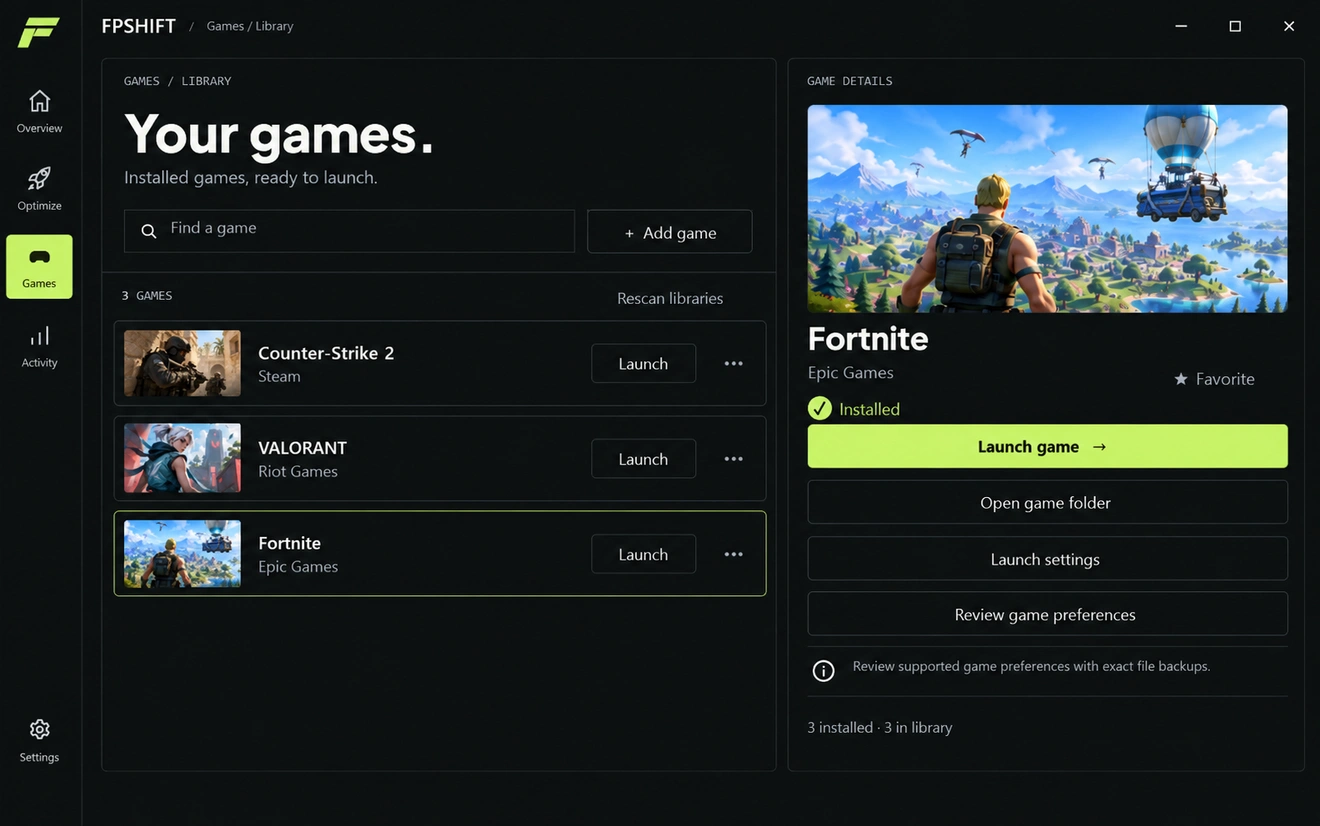
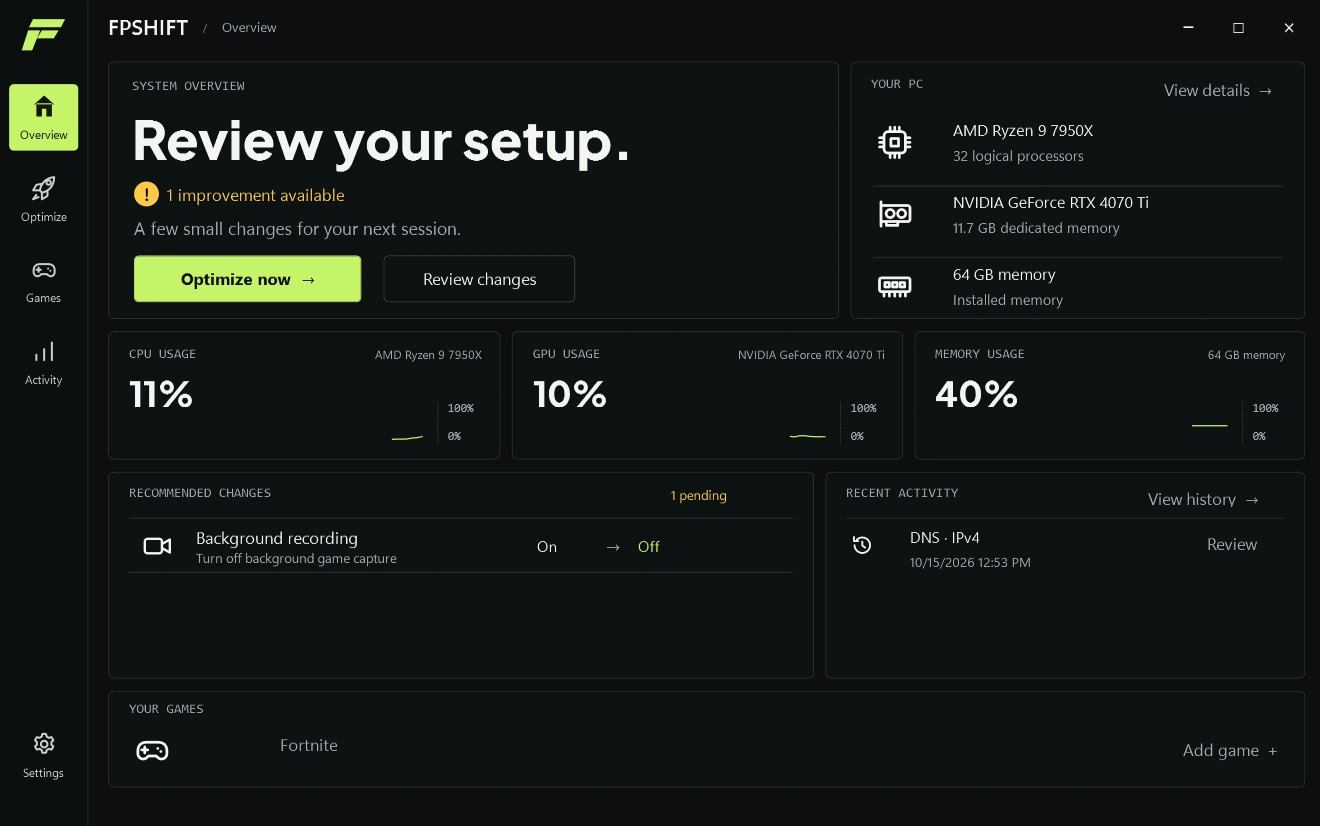
FPSHIFT/OverviewSAMPLE PCOverviewOptimizeGamesActivitySettingsSYSTEM OVERVIEWReview your setup.!1 improvement availableA few small changes for your next session.Optimize now →Review changesSaving original settings & verifying changesYOUR PCView details →AMD Ryzen 9 7950X32 logical processorsNVIDIA GeForce RTX 4070 Ti11.7 GB dedicated memory64 GB memoryInstalled memoryCPU USAGEAMD Ryzen 9 7950X2%GPU USAGENVIDIA GeForce RTX 4070 Ti2%MEMORY USAGE64 GB memory28%RECOMMENDED CHANGES1 pendingBackground recordingTurn off background game captureOn→OffOriginal settings saved. Change verified.RECENT ACTIVITYView history →DNS · IPv4Earlier sample activityYOUR GAMESAdd your installed games to launch them from one place.Add game +

FREE

All optimizations.
No paid upgrade.
No locked features.

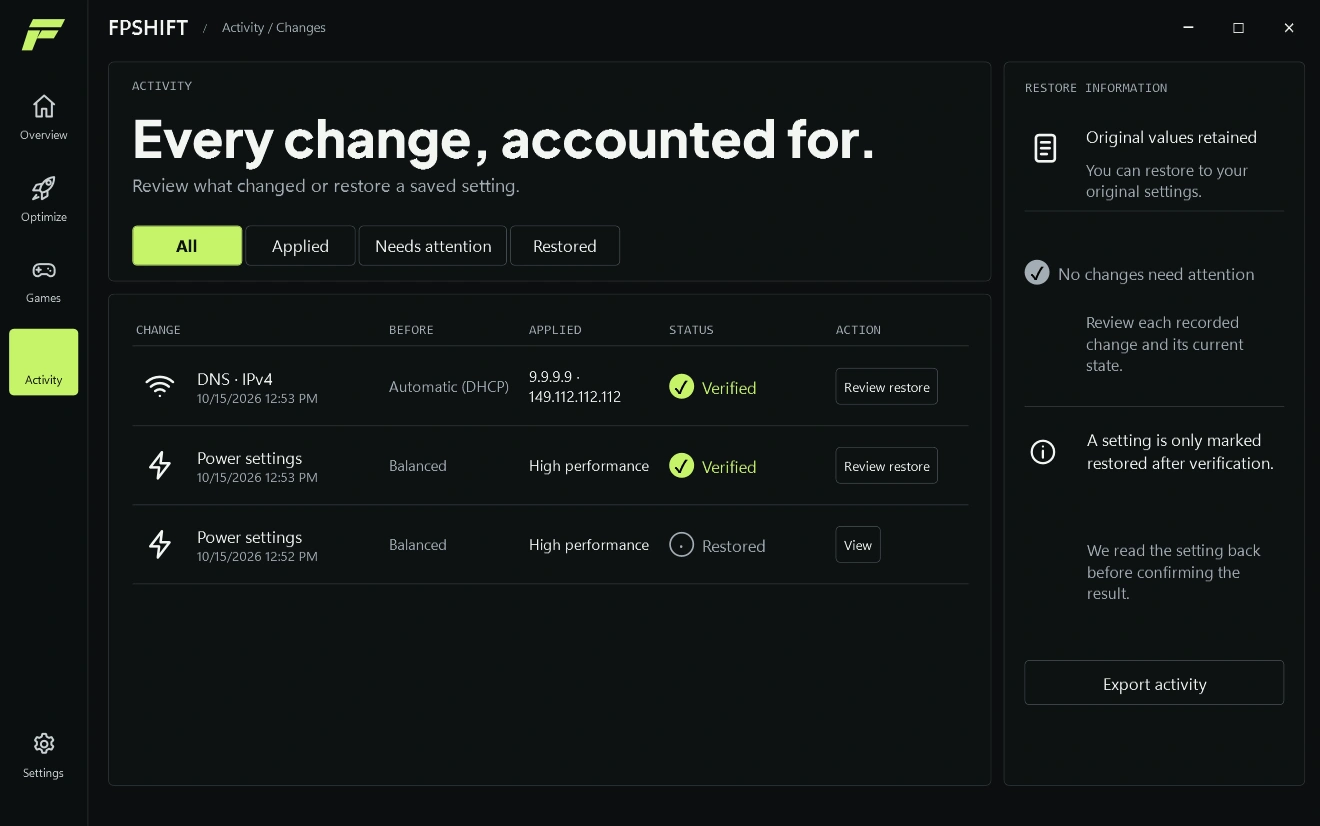
Your settings. Your choice.Review changes and restore supported tweaks.

Game performance

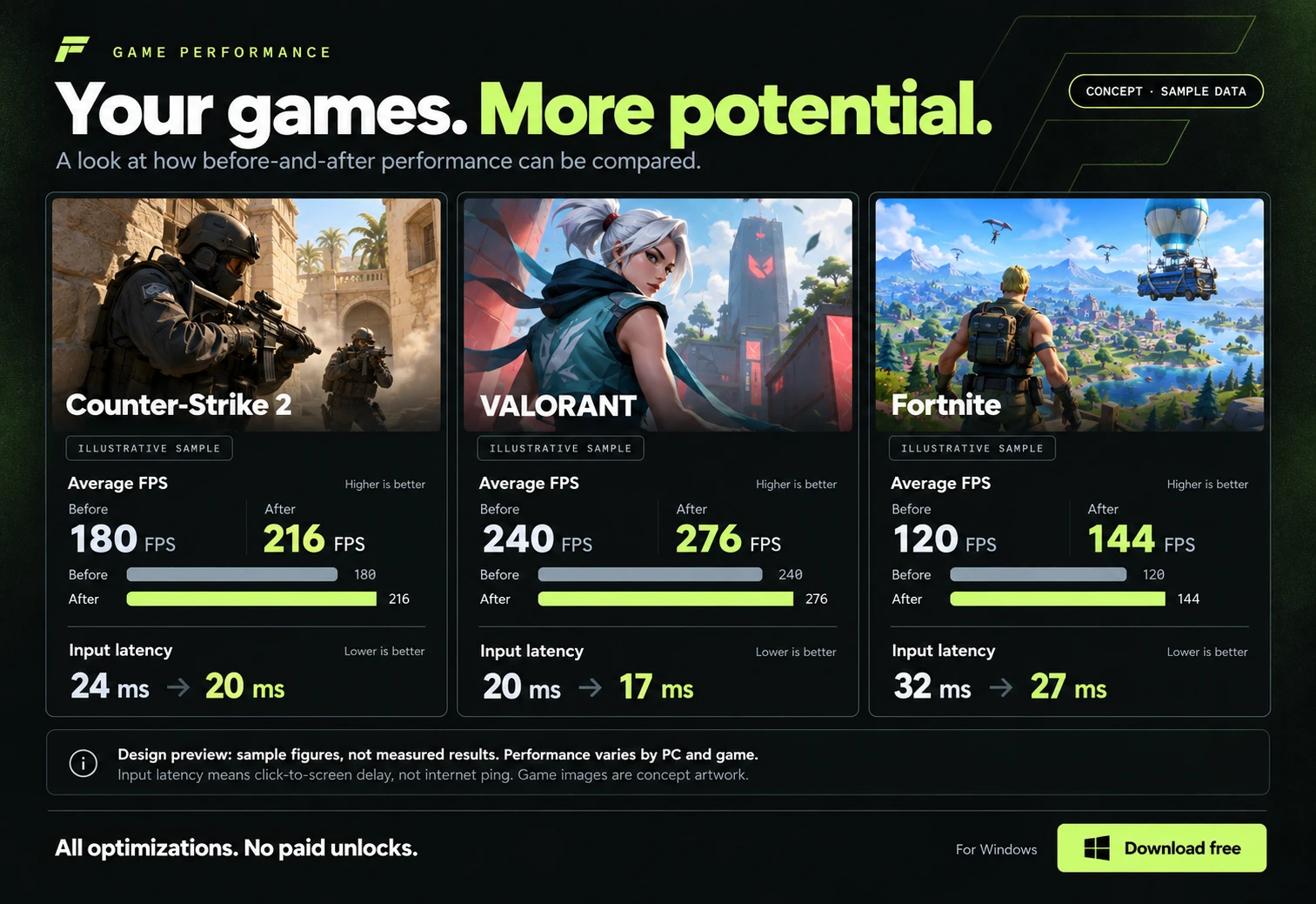
Your games. More potential.

An illustrative comparison, using sample values. These are not measured FPSHIFT results.

Counter-Strike 2 concept artwork

Counter-Strike 2

Illustrative sample

Average FPS

Higher is better
Before
180 FPS
After
216 FPS

Input latency

Lower is better

24 ms ms

VALORANT concept artwork

VALORANT

Illustrative sample

Average FPS

Higher is better
Before
240 FPS
After
276 FPS

Input latency

Lower is better

20 ms ms

Fortnite concept artwork

Fortnite

Illustrative sample

Average FPS

Higher is better
Before
120 FPS
After
144 FPS

Input latency

Lower is better

32 ms ms

All optimizations. No paid unlocks.
For WindowsDownload free

Meet FPSHIFT

Your setup. Made simple.

Review your PC, choose your changes, and get back to playing.
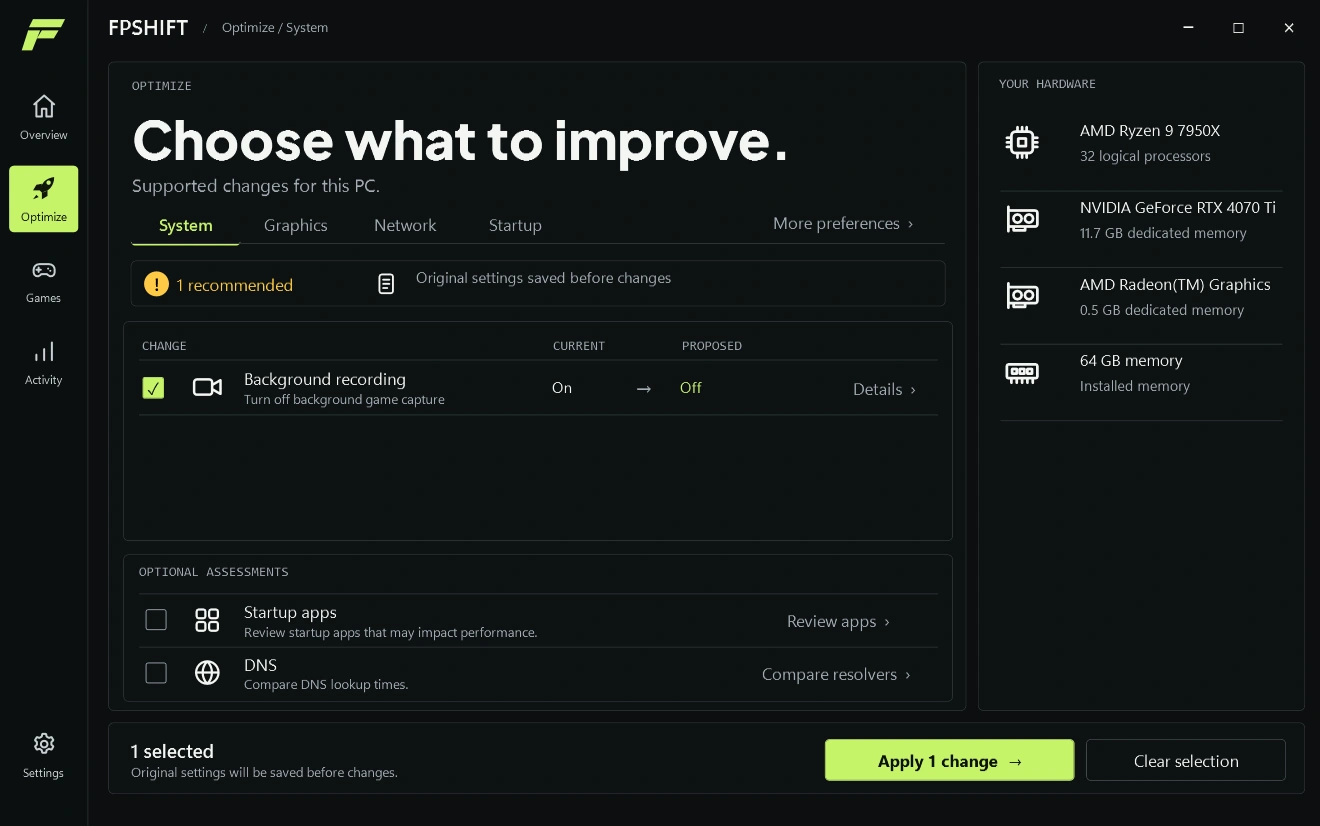
FPSHIFT Optimize: review the background recording recommendation, compare current and proposed settings, and choose a change to apply.

OptimizeChoose what to improve.

A closer look at the app. Open the full screen to explore.

FPSHIFT · Optimize

Swipe sideways to explore the full screen.

FPSHIFT Optimize: review the background recording recommendation, compare current and proposed settings, and choose a change to apply.

Made for your next session

Less hassle. More time to play.

Useful tweaks, made simple.

Find supported changes without digging through Windows menus.

Choose what starts with your PC.

Keep unwanted startup apps out of your way.

Know how your PC is doing.

See how hard your PC is working, all in one place.

Stay in control.

Original settings are saved so supported changes can be restored.

Three simple steps

Less tweaking. More gaming.

  1. 01

    Download & scan

    Open FPSHIFT and let it check your PC.

  2. 02

    Apply useful changes

    Use the recommendations or review what to change.

  3. 03

    Get back to your game

    Your setup is sorted. You stay in control.

Sample player reviews

12 example reviewsFictional players, illustrative feedback

Straight to the point

Open it, check the recommendations, choose what to change. That is pretty much all I wanted from an app like this.

PixelPilotCounter-Strike 2

okay, this makes sense

i usually get lost in settings menus. having everything together with explanations i can actually follow? yeah, that helps.

midnight_queueVALORANT

The upgrade button is missing. Good.

Kept waiting for the part where the useful stuff costs extra. The available tools are just there. Please keep that energy.

ToastModeFortnite

I like knowing what changes

I am cautious with anything that touches my PC settings. Being able to review a recommendation before applying it is the bit I care about.

CtrlAltPlayVALORANT

Finally, a menu I understand!

Clear options, useful explanations, no maze of tabs. Setting up for a session feels a lot less like homework. Big fan of the layout.

NovaRushCounter-Strike 2

Simple is enough

I do not need a hundred graphs. I just want to check my setup, pick the changes I understand and get back to my game.

BlueSpriteFortnite

less menu time, more queue time

not much to say tbh. it puts the stuff i need in one place and lets me choose. that is the whole appeal for me.

lowkey.ggVALORANT

Three things I appreciate

Readable recommendations. A chance to review them. No paid tier hiding the rest. A refreshingly short checklist.

PatchNotesCounter-Strike 2

A home for my PC settings

My old routine was a collection of bookmarked guides and forgotten menus. Having a single place to start is a welcome change.

orbit.exeFortnite

Works for the non-expert crowd

Most evenings I just want to play a couple of matches. I appreciate an app that explains the options without assuming I already know every Windows setting.

CasualKevFortnite

My choices still feel like mine

What stood out was the room to decide. I can look through the suggested changes at my own pace, rather than feeling pushed to apply everything.

EchoLaneVALORANT

A small win for my pre-game routine

Headset? On. Friends? In the lobby. PC settings? At least now I know where to look. The startup controls are a nice touch too.

PacketPandaCounter-Strike 2

Reviews 1–6 of 12

The whole app. Zero paywalls.

All the tools.
None of the paid unlocks.

FREE

Every available optimization is included. No trial clock. No premium tier.

Download free

Hardware support varies. Available optimizations stay free.

  • System optimizations
  • Supported graphics options
  • Connection tools
  • Startup controls
  • PC monitoring
  • Restore supported changes

A few things worth knowing.

Is every optimization free?
Yes. All available optimizations are included, with no paid tier.
Can I undo changes?
Original settings are saved. Supported changes can be restored.
Will every PC get the same result?
No. Available tweaks and results depend on your hardware, settings and games.

Your next session
starts here.

Less tweaking. More gaming. All free.

Download free

For Windows No paid unlocks

A closer look at FPSHIFT

FPSHIFT/OverviewSAMPLE PCOverviewOptimizeGamesActivitySettingsSYSTEM OVERVIEWReview your setup.!1 improvement availableA few small changes for your next session.Optimize now →Review changesSaving original settings & verifying changesYOUR PCView details →AMD Ryzen 9 7950X32 logical processorsNVIDIA GeForce RTX 4070 Ti11.7 GB dedicated memory64 GB memoryInstalled memoryCPU USAGEAMD Ryzen 9 7950X2%GPU USAGENVIDIA GeForce RTX 4070 Ti2%MEMORY USAGE64 GB memory28%RECOMMENDED CHANGES1 pendingBackground recordingTurn off background game captureOn→OffOriginal settings saved. Change verified.RECENT ACTIVITYView history →DNS · IPv4Earlier sample activityYOUR GAMESAdd your installed games to launch them from one place.Add game +